Android
- Browser: Chrome (latest two major versions recommended)
- OS: Android 8.0 or later for stable HD game rendering
- No Google Play app: access via browser only
App at Moonwin: No Download Needed
Play 6,000+ pokies, live dealer tables and jackpot games on iPhone or Android through your browser. No download, no storage use, full AUD cashier and Cosmic Cash Club access from every screen.
Keeping Your Mobile Account Safe
What You Should Do
What You Should Avoid
Play 6,000+ pokies, live dealer tables and jackpot games on iPhone or Android through your browser. No download, no storage use, full AUD cashier and Cosmic Cash Club access from every screen.
Play 6,000+ pokies, live dealer tables and jackpot games on iPhone or Android through your browser. No download, no storage use, full AUD cashier and Cosmic Cash Club access from every screen.
Launch on Mobile Play responsibly, 18+ only. This offer is subject to bonus terms and conditions, and gambling involves a risk of dependence.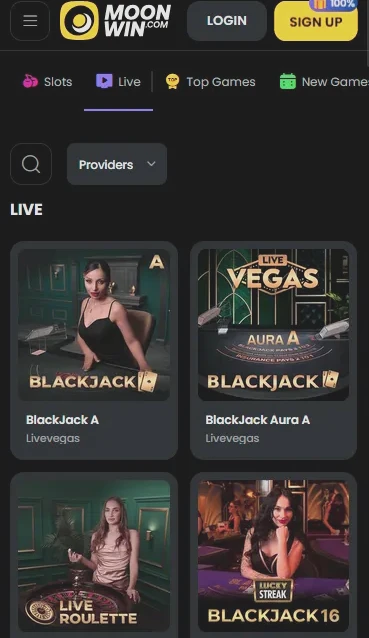
Mobile Experience: Strengths and Trade-offs
Pros
Cons
How to Set Up Moonwin on Your Phone
Mobile Compatibility Details
Android
iOS
What the Moonwin Mobile Experience Delivers
Full Lobby in the Browser
Every pokie, live table and jackpot game from Pragmatic Play, BGaming, Evolution Gaming and 50+ other providers loads directly in Safari or Chrome without any app install.
Instant Sessions, No Downloads
Because Moonwin runs as a responsive browser site, there is nothing to download, update or store. Open the site, log in with your AUD credentials and play within seconds.
Encrypted Cashier on Mobile
The same 128-bit SSL encryption that protects desktop sessions applies on mobile. Deposits via Neosurf, bank transfer and crypto all process through the mobile cashier with no additional verification steps.
The Moonwin mobile experience is delivered through a browser-first architecture rather than a downloadable native app. This means no storage use on your device, no mandatory updates and no app-store approval delays. Every feature available on desktop is present in the mobile browser, including the full game lobby, the AUD cashier, the Cosmic Cash Club dashboard and 24/7 live chat access.
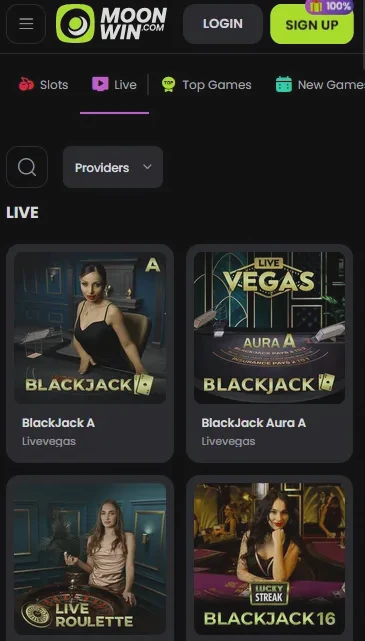
The lobby organises games into categories: pokies, live casino, jackpots, crash games, bonus-buy slots, Moonwin Originals and game shows. Filters for provider, volatility and bet range work identically on mobile. The search function allows you to find a specific title by name. The cashier handles deposits and withdrawals in AUD with no additional steps required on mobile. Responsible gaming tools, including deposit limits, session time limits and self-exclusion, are all reachable from the account menu.
The mobile layout condenses the navigation into a bottom menu bar and a hamburger-style side panel, making one-handed use straightforward on phones. The live casino lobby on mobile adjusts the video stream resolution automatically to suit available bandwidth, switching between HD and standard definition without interrupting play. There are no features restricted exclusively to desktop; every promotion, every game and every account management tool is equally accessible on any screen size.
The Moonwin mobile site is built on HTML5 and runs in any standards-compliant modern browser. No plugins, Adobe Flash or additional downloads are required.
Chrome is the recommended browser for Android. The site performs reliably on Android 8.0 or later for full HD rendering of live dealer streams from Evolution Gaming and BeterLive. Older Android versions may run the site but can experience slower game load times on heavy graphics titles.
Safari is the recommended browser on iPhone and iPad. iOS 13 or later supports all game features, including HD live dealer streams and the in-browser home-screen shortcut. Third-party browsers on iOS (such as Chrome for iOS) also work but may not support all shortcut-creation features.
| Platform | Browser | Min. OS | App Store | Native App |
|---|---|---|---|---|
| Android | Chrome (recommended) | Android 8.0+ | Not listed | No |
| iOS | Safari (recommended) | iOS 13+ | Not listed | No |
All Moonwin bonuses are fully active through the mobile browser. There are no mobile-exclusive restrictions or additional hoops.
The three-deposit welcome package, covering 100% up to $7,500 + 100 free spins on Wild Cash by BGaming (first deposit), 75% up to $1,500 + 50 free spins on Lady Wolf Moon by BGaming (second deposit), and 50% up to $1,000 + 30 free spins on Fortune Five by Gamebeat (third deposit), activates through the mobile cashier in exactly the same way as on desktop. The $30 minimum deposit applies. Full terms, wagering details and the promo code for Wednesday Free Spins are on the full bonus page. 18+ only, T&Cs apply.
Moonwin does not have a downloadable app for Android or iOS. The platform is accessed through the mobile browser. The steps below cover setting up the site as a home-screen shortcut, which replicates the feel of an installed app.
Open Chrome on your Android phone and navigate to moonwinplay.com. Log in to your account. Tap the three-dot menu in the top-right corner of Chrome. Select Add to Home Screen from the menu options. Name the shortcut (for example, Moonwin) and tap Add. The icon appears on your home screen and opens the site in full-screen mode, bypassing the browser address bar.
Open Safari on your iPhone or iPad and navigate to moonwinplay.com. Log in to your account. Tap the Share icon at the bottom of the Safari window. Scroll down in the share sheet and select Add to Home Screen. Confirm the name and tap Add in the top-right corner. The icon appears on your home screen and launches the Moonwin site in a full-screen Safari session.
Because Moonwin is a responsive browser site rather than a progressive web app with offline capability, the home-screen shortcut requires an active internet connection to function. Mobile data (4G or 5G) is recommended for live dealer sessions to maintain stable video quality.
The complete Moonwin catalogue is available on mobile. HTML5 rendering ensures that every title loads in the browser without compromise.
Over 6,000 pokie titles are accessible in the mobile browser, including Megaways mechanics from Big Time Gaming and Relax Gaming, high-volatility bonus-buy titles, progressive jackpot pokies and Moonwin Originals. Gates of Olympus by Pragmatic Play, Book of Dead by Play’n GO and Wild Cash by BGaming load quickly on mobile connections. Bet sizes from $0.10 to $100 per spin are fully supported.
Live dealer rooms from Evolution Gaming, BeterLive, Pragmatic Play Live, Vivo Gaming, Absolute Live Gaming and Ezugi all stream in the mobile browser. Aquamarine Blackjack by Pragmatic Play Live, Caribbean Stud Poker by Evolution Gaming and baccarat rooms from BeterLive maintain HD quality on standard 4G connections.
RNG table games, including European Roulette, Atlantic City Blackjack and baccarat variants, load instantly on mobile. No additional data usage beyond standard game files is required.
The jackpot section is fully browsable on mobile. Progressive jackpot pokies from multiple network providers display their current prize pools in real time within the browser.
The mobile cashier at Moonwin handles the full range of AUD payment methods. Depositing and withdrawing through a phone or tablet uses the same infrastructure as the desktop cashier, with 128-bit SSL encryption on every transaction.
Visa, Mastercard, Skrill, Neteller, MiFinity, ecoPayz, Jeton, MuchBetter, AstroPay, Neosurf, Flexepin, Paysafecard, bank transfer via Pay via Bank, Bitcoin, Ethereum, Dogecoin and Tether (USDT) via CoinsPaid are all accessible from the mobile cashier. Neosurf voucher codes can be entered in the mobile cashier without any additional steps.
| Method | Processing time |
|---|---|
| Cryptocurrency (BTC, ETH, DOGE, USDT) | 0-24 hours |
| E-wallets (Skrill, Neteller, MiFinity) | 0-24 hours |
| Bank Transfer (Pay via Bank) | 3-7 business days |
| Visa / Mastercard | 3-5 business days |
Every transaction on mobile uses the same 128-bit SSL encryption as desktop. Dama N.V. applies automated fraud screening and manual review for withdrawal requests above standard thresholds. KYC verification, which may require a copy of your Australian driver’s licence or passport and a proof of address such as a utility bill or bank statement, is typically requested before the first withdrawal regardless of whether the request is submitted on desktop or mobile.
Registration is completed in the mobile browser in under three minutes. Navigate to moonwinplay.com in Safari or Chrome, tap the Register button, enter your email address, choose a password, select AUD as your currency and confirm you are 18 or older. A verification link arrives in your inbox immediately; tapping it activates your account and takes you directly to the lobby.
Tap the login icon from the Moonwin homepage, enter your email and password and confirm. If two-factor authentication is enabled, enter your one-time code when prompted. The remember-me option keeps your session active across browser restarts on your personal device. Full login troubleshooting is on the login page.
All data between your device and Moonwin’s servers travels over 128-bit SSL. This applies to game sessions, account management actions and every cashier transaction. There are no unencrypted fallback connections.
Two-factor authentication is available from the security section of your account settings. When active, a one-time code from an authenticator app is required at each login from a new device. This is especially important for mobile, where devices are more likely to be shared or lost than desktop machines.
Moonwin does not implement in-app biometric authentication directly, because there is no native app. However, if you save your login credentials in Safari’s Keychain (iOS) or Chrome’s password manager (Android), Face ID, Touch ID or fingerprint login to the device will also gate access to your saved Moonwin credentials. Enabling biometric lock on your device is strongly recommended.
Live chat is accessible from every page on the Moonwin mobile site through the support button. Email support is available at [email protected]. The live chat bot connects to a human agent quickly; selecting the Deposit/Withdrawal path in the chat menu is the fastest route to a live representative.
Responsible gaming tools on mobile include deposit limits, loss limits, wager limits, session time limits, a cool-off option and full self-exclusion. All limits can be set or adjusted through the account settings menu in the mobile browser or by contacting [email protected]. Players under 18 are not permitted to register or use the platform. 18+ only.
Mobile and App Questions
No. Moonwin does not publish a native application on either store. The mobile experience is delivered through a fully responsive browser site that runs on Chrome (Android) and Safari (iOS). You can add a shortcut to your home screen to replicate an app-like launch.
Yes. The entire Moonwin catalogue, including pokies from BGaming and Pragmatic Play and live dealer rooms from Evolution Gaming and BeterLive, is built on HTML5 and loads in any modern mobile browser without plugins or additional software.
Yes. The full AUD cashier is accessible on mobile, including bank transfer via Pay via Bank, Neosurf vouchers, Visa, Mastercard, Skrill, Neteller and cryptocurrency options such as Bitcoin, Ethereum and USDT through CoinsPaid.
Yes. The three-deposit welcome package and Wednesday Free Spins offer (promo code JOHNNY) are fully available through the mobile browser. Wagering on Wild Cash by BGaming and other eligible pokies counts identically whether the session runs on desktop or mobile. Full bonus terms are on the [bonus page](/bonus/).
Play Moonwin on Your Phone Right Now
Grab 100% up to A$10,000 and 180 free spins.
Enter Casino Play responsibly, 18+ only. This offer is subject to bonus terms and conditions, and gambling involves a risk of dependence.