Instant Access
Your email and password get you into the full Moonwin lobby, cashier and live chat without any additional steps on a recognised device.
Login at Moonwin: Account Security & SSL
Access your AUD account in seconds. Live chat, cashier and 6,000+ games from Pragmatic Play, Evolution Gaming and BGaming are one login away.
Keeping Your Account Secure
What You Should Do
What You Should Avoid
Three Good Reasons to Keep Your Moonwin Account Active
Instant Access
Your email and password get you into the full Moonwin lobby, cashier and live chat without any additional steps on a recognised device.
Two-Factor Security
Enable two-factor authentication in your account settings to add a second layer of protection beyond your password.
Mobile Sign-In
Log in through Safari on iOS or Chrome on Android without downloading anything. The full site, including the Cosmic Cash Club dashboard, is available in-browser.
Moonwin uses a single, straightforward credential pair to authenticate every session: the email address you registered with and the password you set during sign-up. There are no alternative social sign-in options. Once authenticated, the platform recognises your device and browser for the duration of the session, and the remember-me option can extend this across sessions on your personal machine.
Two-factor authentication is available as an optional security layer. When enabled, a one-time code is required in addition to your password each time you sign in from a new device or browser. This is the strongest account protection Moonwin offers and is strongly recommended for any account that holds a meaningful balance or is linked to a payment method.
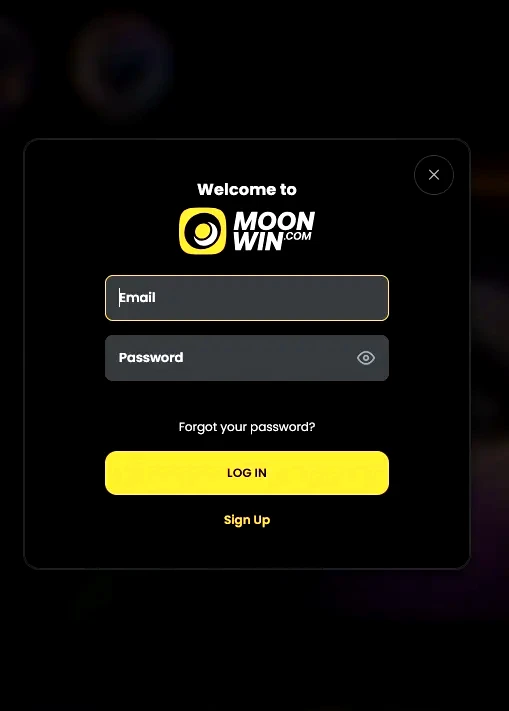
The login process is the same whether you are using a desktop browser, a mobile browser, or the browser-shortcut on your phone’s home screen. The steps below cover all three scenarios.
Open your preferred desktop browser (Chrome, Firefox, Edge or Safari on Mac) and navigate to moonwinplay.com. Click the Login or Sign In button in the top-right corner of the homepage. Enter the email address associated with your Moonwin account, then your password, and click Confirm. If you have two-factor authentication enabled, enter the one-time code from your authenticator app when prompted. You will land on the casino lobby, with your AUD balance visible in the account bar.
Open Safari (iOS) or Chrome (Android) and navigate to moonwinplay.com. The site loads in its mobile-responsive layout automatically. Tap the login icon in the top-right corner, enter your credentials, and confirm. The full lobby, live chat, cashier and Cosmic Cash Club dashboard are all accessible from the mobile browser without any additional steps or downloads.
Moonwin does not publish a native app on the Google Play Store or Apple App Store. The recommended approach on mobile is to log in via the browser as described above, then add the site to your home screen as a shortcut. On iOS, tap the Share icon in Safari and select Add to Home Screen. On Android in Chrome, tap the three-dot menu and select Add to Home Screen. The shortcut behaves like an app icon and opens moonwinplay.com directly in full-screen browser mode, with your session preserved if you used the remember-me option. Full installation guidance is on the app page.
Your Moonwin account is protected by 128-bit SSL encryption on every connection, which means your credentials and session data are encrypted in transit between your device and Moonwin’s servers. Dama N.V., which operates Moonwin under licence 8048/JAZ2020-013, maintains security standards consistent with its broader portfolio of licensed casinos.
Beyond encryption, account-level security depends significantly on the strength of your password and whether two-factor authentication is active. A password that is unique to Moonwin and at least twelve characters long, combining letters, numbers and symbols, is the baseline. Enabling two-factor authentication in the security section of your account settings adds a second gate that a stolen password alone cannot bypass.
Moonwin’s support team at [email protected] will never ask for your password in a live chat or email exchange. Any message requesting your credentials should be treated as a phishing attempt and reported immediately.
Most login failures fall into one of four categories: wrong credentials, a locked account, a browser or connection issue, or a geographic restriction.
If your email and password are correct but the login is rejected, check that caps lock is not active and that autofill has not inserted credentials from a different account. If you have recently changed your password via the reset flow, the old password is immediately invalidated.
A locked account occurs after multiple consecutive failed login attempts. The lock is temporary and lifts after a cooling period, or it can be removed immediately by contacting the 24/7 live chat team or emailing [email protected].
Browser or connection issues are the most common cause of login pages not loading at all. Clearing the cache and cookies in your browser, switching from Wi-Fi to mobile data (or vice versa), or trying a different browser resolves most of these cases. Antivirus or firewall software that inspects HTTPS traffic can occasionally interfere with casino connections.
If none of the above applies, contact support via live chat. The team operates around the clock across AEST and AEDT hours and can access your account status directly. Once your issue is resolved you can also explore the welcome bonus on the bonus page if you have not yet claimed your first-deposit offer.
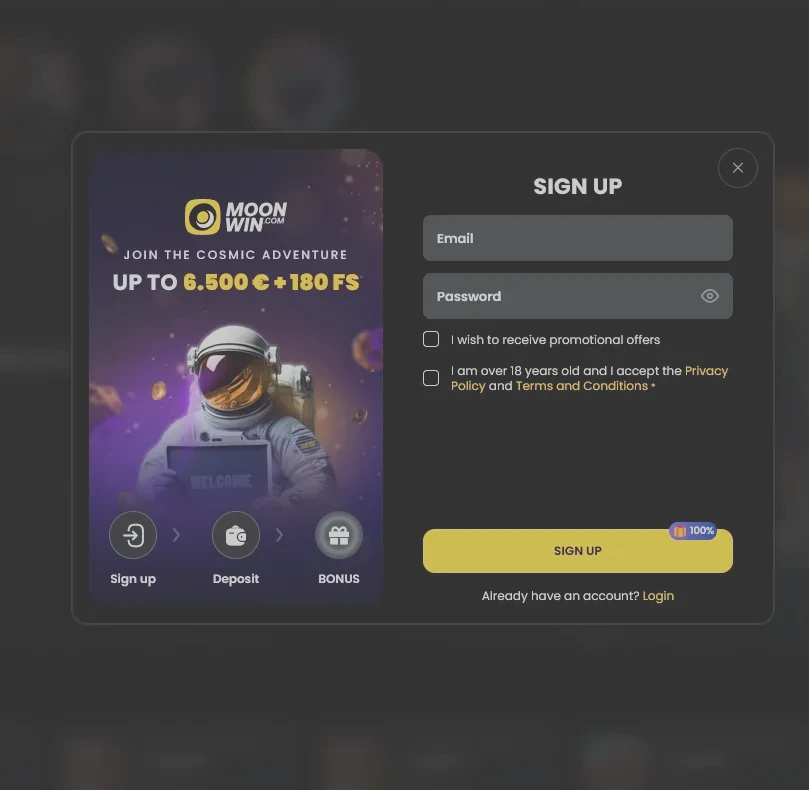
Registration at Moonwin takes under three minutes. You will need a working email address, a password you have not used elsewhere, and your date of birth to confirm you are 18 or older. After submitting the form you will receive a confirmation email; clicking the link inside activates your account and gives you immediate access to the full game lobby and cashier. Select AUD as your currency during registration to ensure all limits, bonuses and balances are displayed in Australian dollars without conversion.
Login Questions Answered
Clear your browser cache and cookies, then try again. If the issue persists on Chrome or Safari, try a different browser or disable extensions. If your account has been temporarily locked after multiple failed attempts, contact support via live chat or email [email protected] to unlock it.
Click the Forgot Password link on the login screen, enter the email address registered to your account, and follow the reset link sent to your inbox. If the email does not arrive within five minutes, check your spam folder and ensure the address matches the one used at registration.
Yes. Open Safari on iOS or Chrome on Android, navigate to moonwinplay.com, and sign in with your email and password. There is no native app, but the full site including the cashier, live casino tables from Evolution Gaming and the Cosmic Cash Club dashboard is available in the mobile browser.
The site offers a remember-me option on login, which keeps your session active on a trusted personal device. For security, Dama N.V. may still prompt re-authentication after extended inactivity or when accessing the cashier for withdrawals.
Ready to Play? Sign In Now
Grab 100% up to A$10,000 and 180 free spins.
Enter Casino Play responsibly, 18+ only. This offer is subject to bonus terms and conditions, and gambling involves a risk of dependence.